How Much RAM to Run a Local LLM? 2026 Sizing Guide
How much RAM a local LLM really needs: measured Q4_K_M file sizes, what 8GB to 512GB runs in 2026, and why long context can cost more than the weights.
The rule everyone repeats is half a gigabyte of memory per billion parameters at 4-bit, and it is the right place to start but the wrong number to buy against. Measured against real downloads it is optimistic by 8 to 27 percent: the default Q4_K_M build of a 27B model is a 17.1GB file, not 13.5GB, because 4-bit quantization does not apply evenly to every tensor. Add the operating system and the conversation itself and the honest planning figure is closer to 0.75GB per billion. This guide gives the measured file sizes rather than the arithmetic, walks the ladder from an 8GB laptop to an 850GB frontier model, separates system RAM from VRAM from unified memory, and covers the cost most sizing guides leave out: on a long context the working memory can exceed the weights. In a hurry? The Can I Run This LLM? checker turns this into a picker: choose your hardware and see which models fit, how fast, and whether owning, renting, or the API is cheaper.
How much RAM do you need to run a local LLM?
For a genuinely useful general-purpose model, 16GB is the practical floor and 24 to 32GB is the tier worth buying. 8GB runs a 3B to 4B model well enough for chat, summaries and autocomplete. 16GB runs an 8B comfortably and a mixture-of-experts model like gpt-oss-20b at its stated 16GB footprint. 24GB is where a current dense 27B fits at its default quantization, 64GB reaches a 70B, and the largest open weights need 512GB and up.
The reason to be precise about the tier boundaries is that the popular arithmetic pushes people one rung too low. A 27B model “should” need 13.5GB at 4-bit and therefore fit a 16GB card with room to spare. It does not, and the gap between the formula and the file is the single most useful thing on this page.
The math: why 0.5GB per billion is a floor, not a budget
A model is a pile of numbers (its parameters, or weights), and memory is where those numbers sit while it runs. So the parameter count and the precision of each number set the bill.
At full precision (BF16, the format models are trained in) each parameter takes 2 bytes, so a 7B model needs about 14GB for weights alone. That checks out against real downloads: the BF16 build of the 754-billion-parameter GLM-5.2 is 1.51TB, which is 2.003GB per billion. Almost nobody runs full precision locally. The local standard is quantization: storing each weight in fewer bits for a small, usually acceptable loss in quality.
Where the common rule of thumb goes wrong is in assuming 4 bits per weight means 0.5 bytes per parameter across the whole file. It does not. The formats people actually download are llama.cpp K-quants, which partition weights into super-blocks and deliberately spend more bits on the tensors that are most sensitive to rounding, typically attention and embedding layers. Per llama.cpp’s own quantization reference, Q4_K_M averages about 4.58 bits per weight, not 4.00, and Q5_K_M about 5.69 and Q8_0 about 8.5.
That accounting difference is why measured files run 8 to 27 percent above the arithmetic, and why the gap is widest on small dense models, where the embedding and output layers are a larger share of the total:
| Format | Bits per weight | GB per 1B (arithmetic) | GB per 1B (measured) | Notes |
|---|---|---|---|---|
| BF16 / FP16 | 16 | 2.00 | 2.00 | Reference precision. Matches the arithmetic exactly |
| Q8_0 | ~8.5 | 1.06 | 1.06–1.09 | Near-lossless. Rarely worth the memory locally |
| Q5_K_M | ~5.69 | 0.71 | 0.70–0.75 | One step up from the default when memory allows |
| Q4_K_M | ~4.58 | 0.57 | 0.54–0.63 | The default. What you get unless you choose |
| IQ4_XS | ~4.25 | 0.53 | 0.48–0.58 | The rescue format when Q4_K_M just misses a tier |
| UD-IQ2_M | ~2 | 0.25 | 0.32 | Dynamic 2-bit. Mixture-of-experts models only |
| UD-IQ1_S | ~1.6 | 0.20 | 0.29 | Dynamic 1-bit. Last resort, and MoE only |
Read the measured column as a range for a reason: the smaller and denser the model, the worse the arithmetic understates it. A dense 27B at Q4_K_M measures 0.63GB per billion, while a 1.57-trillion-parameter mixture-of-experts model measures 0.54, because in a small model the embedding and output layers that K-quants protect are a much larger share of the total. If you are sizing a consumer machine, you are almost always at the 0.62 to 0.63 end.
The measured column is not derived from the bits-per-weight figure. It is computed from published GGUF file sizes for the real models listed in the footprint section below, so it already includes whatever each format actually does to each tensor. Use it in preference to the arithmetic.
So the working formula is: (usable RAM in GB) divided by 0.75 is roughly the largest model in billions of parameters you can comfortably run at Q4. A 16GB machine with about 11GB free lands near a 14B model, which is exactly why the 27B that “fits on paper” does not.
VRAM, system RAM, and unified memory: the three kinds of memory
“How much RAM” hides a question that decides everything about how a local model behaves: which kind of memory. There are three, and they differ less in capacity than in speed.
- System RAM (DDR5). The sticks in a normal PC or laptop. Cheap and available in huge amounts on a server, but slow by AI standards: a typical dual-channel desktop moves on the order of 80 to 100 GB/s. The CPU reads model weights from it. You can run very large models here, just slowly.
- GPU VRAM (GDDR or HBM). The memory soldered onto a graphics card. Far faster: an RTX 5090 moves about 1.8 TB/s, and a data-center H200 about 4.8 TB/s, twenty to fifty times a desktop’s RAM. This is why a model that fits entirely in VRAM is so much quicker. The catch is capacity: consumer cards top out at 32GB, and the 80 to 288GB cards cost as much as a car. The VRAM price tracker covers what that scarcity now costs per gigabyte.
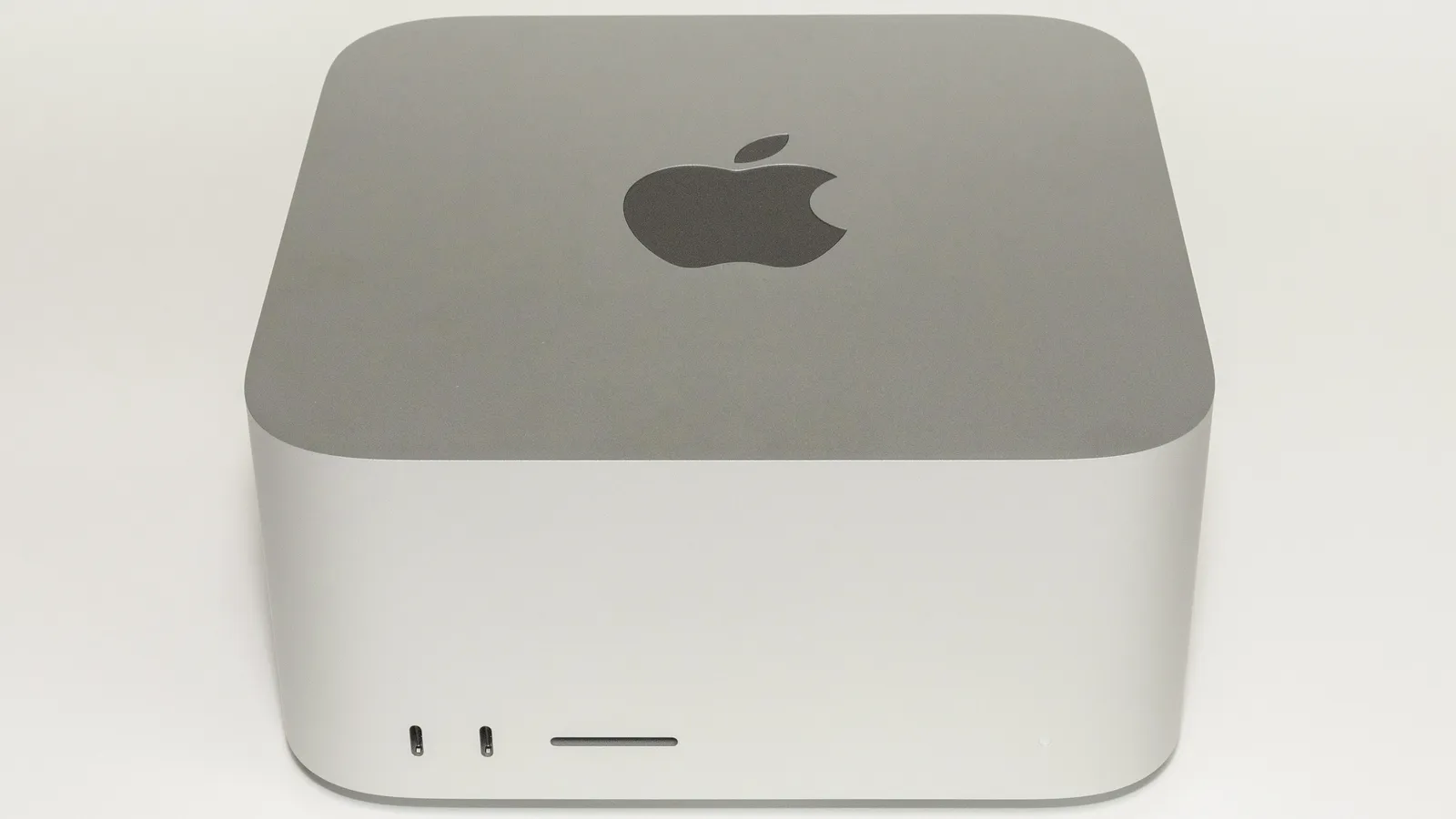
- Unified memory (Apple Silicon, NVIDIA DGX Spark). A single pool the CPU and GPU share, so there is no slow copy between them. Bandwidth sits in the middle: the Mac Studio M5 Ultra reaches about 1.2 TB/s, the M5 Max 460 to 614 GB/s depending on GPU core count, and NVIDIA’s DGX Spark about 273 GB/s. This is the trick that lets a Mac hold a model far larger than any consumer GPU can, and on the Ultra it is now genuinely GPU-class bandwidth rather than a compromise.
| Memory type | Typical bandwidth | Capacity you can buy | Cost per GB | Best for |
|---|---|---|---|---|
| System RAM (DDR5) | ~80–100 GB/s (desktop); higher on multi-channel servers | 16GB to 1.5TB+ | Lowest | Holding very large models on CPU, slowly |
| Unified memory | ~270 GB/s to 1.2 TB/s | 16GB to 512GB | Medium | Large models at real speed on one box |
| GPU VRAM (GDDR/HBM) | ~1,000–8,000 GB/s | 8GB to 288GB per card | Highest | Maximum speed for any model that fits |
The practical upshot: fit your model in the fastest memory it will fit in. A 13B model belongs in a 16GB GPU, not spread across 64GB of system RAM. A 754B mixture-of-experts model has no choice but to live in unified memory or across many GPUs. Everything below is really about matching a model to the right kind of memory, not just enough of it.
Worth noting how much this changed in one generation. When this guide was first published, Apple unified memory was the high-capacity, moderate-bandwidth option and a consumer GPU was the fast one. The M5 Ultra at 1.2 TB/s now sits above an RTX 4090 while holding twenty times as much, which is a different trade than the one most sizing advice still assumes. The Mac mini M6 and Mac Studio M5 breakdown works through where that bandwidth is and is not a paid upgrade.
What model footprints actually look like
The reason memory is the gatekeeper is the sheer spread of model sizes. Every figure below is a published GGUF file size for a real download, not a parameter count multiplied by a constant, which is why they sit above what the arithmetic predicts.
| Tool | Cost per task | Multiple of baseline |
|---|---|---|
| Qwen3.8-27B at IQ4_XS | 15.7 GB | - |
| Qwen3.8-27B at Q4_K_M | 17.1 GB | - |
| DeepSeek V4 Flash at IQ1_S | 82.5 GB | - |
| DeepSeek V4 Flash at Q4_K_XL | 155 GB | - |
| GLM-5.2 at UD-IQ1_S | 217 GB | - |
| GLM-5.2 at Q4_K_M | 466 GB | - |
| DeepSeek V4 Pro at Q4_K_XL | 850 GB | - |
Three things in that picture matter more than the individual numbers.
The consumer ceiling stopped moving while the models did not. A maxed Mac Studio holds 512GB, exactly as the M3 Ultra did in 2025, and Apple’s August 2026 refresh did not raise a single memory ceiling across the line. Meanwhile the largest open model went from DeepSeek R1 at 671B (about 404GB at 4-bit, comfortably inside 512GB) to DeepSeek V4 Pro at 1.6 trillion parameters, whose 4-bit build is 850GB. For the first time in this guide’s life, the frontier open model does not fit the best consumer machine you can buy.
Mixture-of-experts models are why the ladder has a top at all. GLM-5.2 holds 744 billion parameters and activates about 40 billion per token. All 754 billion have to be in memory, so it needs 466GB at Q4_K_M, but it generates at roughly the speed of a 40B dense model. Total parameters set the memory bill; active parameters set the speed.
Dynamic low-bit quants move a model down a hardware tier, and only work on MoE models. GLM-5.2 falls from 466GB at Q4_K_M to 217GB at UD-IQ1_S, which is the difference between needing a 512GB machine and a 256GB one. These formats spend their bits very unevenly, keeping shared and attention tensors near full precision while crushing the expert weights, which is exactly why they hold up on a sparse MoE and fall apart on a small dense model. Do not reach for a 1-bit build of a 27B.
For the dense models most people actually run, gpt-oss remains the useful reference point: OpenAI states the gpt-oss-20b runs on edge devices with 16GB of memory and the 120B version within 80GB, and those are vendor figures for the model as OpenAI packages it.
Does context length affect how much RAM you need?
Yes, and on a long prompt it is the larger of the two bills. This is the cost most sizing guides wave at and do not quantify, so here is the arithmetic.
Every token already in the conversation is held in the KV cache, the model’s working memory. It grows strictly linearly with context length, and its size is set by the model’s architecture, not by its parameter count:
KV cache bytes = 2 x layers x KV heads x head dimension x tokens x bytes per element
The leading 2 is for the keys and the values. “Bytes per element” is 2 at FP16 and 1 if you enable 8-bit KV cache quantization. The three architecture numbers come from the model’s own config.json, so this is checkable rather than a rule of thumb:
| Model | Layers | KV heads | Head dim | Per token | 8K context | 32K context | 128K context |
|---|---|---|---|---|---|---|---|
| Llama 3.1 8B | 32 | 8 | 128 | 0.125 MB | 1.0 GB | 4.0 GB | 16.0 GB |
| Qwen3.8-27B | 64 | 4 | 256 | 0.25 MB | 2.0 GB | 8.0 GB | 32.0 GB |
| Llama 3.3 70B | 80 | 8 | 128 | 0.3125 MB | 2.5 GB | 10.0 GB | 40.0 GB |
This arithmetic decides whether a local agent runs at all: Hermes Agent, for one, requires a 64,000-token context before its tools work, which puts a 16GB cache on top of a 27B model.
Read the Qwen3.8-27B row against its 17.1GB of weights. At an 8,000-token context the cache is a rounding error. At 128,000 tokens it is 32GB, nearly double the model. At the model’s native 262,144-token context it is 64GB, close to four times the weights. A 24GB card that runs this model perfectly well on short prompts cannot hold a long document in it at all.
Notice also that a larger model does not automatically mean a larger cache. Qwen3.8-27B has a heavier per-token cache than Llama 3.1 8B by a factor of two, but Llama 3.3 70B, at two and a half times Qwen’s parameter count, is only 25 percent worse per token, because it uses four times as many KV heads at half the head dimension. Grouped-query attention is doing the work: it is the reason modern models can offer six-figure context windows at all.
The system-RAM ladder: what each tier runs, on what device
This ladder is for system memory and Apple-style unified memory, the pool you size when you buy a laptop, a Mac, or a workstation. The VRAM ladder for graphics cards comes next. “Usable for the model” assumes headroom for the OS and a modest context window; on long contexts, subtract the cache figures from the table above. Devices are representative, not exhaustive.
How the best pick is chosen. For each tier, the pick is the open-weight model with the highest score on the Artificial Analysis Intelligence Index (version 4.3.2, an independent benchmark composite of 10 evaluations, using each model’s highest-scoring reasoning setting) whose 4-bit-class GGUF file fits the “usable” budget. File sizes are read from the published Hugging Face downloads. Scores and sizes were checked on September 27, 2026. The index is a general-intelligence composite, so a coding-only or vision-only workload can rank models differently.
| RAM | Usable for the model | Best pick (AA score) | Also fits | Typical device | What you can actually do |
|---|---|---|---|---|---|
| 8 GB | ~3–4 GB | K2 Horizon 3.7B (16), Q4_K_M 3.2GB | Granite 4.2 3B (9), 2.2GB | Base MacBook Air, mainstream laptop, high-end phone | Offline chat, summarizing, autocomplete, simple retrieval over a few docs |
| 16 GB | ~10–11 GB | K2 Horizon 7B (21), Q4_K_M 5.6GB | Gemma 4 12B (14), 7.1GB | Mid-range laptop, M-series Air/Pro | A genuinely useful daily assistant, decent coding help, RAG over a document set |
| 24–32 GB | ~18–26 GB | Qwen3.8-27B (34), UD-Q4_K_M 16.5GB | K2 Horizon MoVA 36B A4B (25), 22.4GB | RTX 4090 (24GB) / RTX 5090 (32GB), 32GB Mac | Near-frontier-lite quality, agentic coding, moderate context windows |
| 48–64 GB | ~40–52 GB | Qwen3.8-27B (34), Q8_0 29.1GB | Qwen3.8-27B at Q4 with a 128K context, ~49GB | 64GB Mac Studio M5 Max, dual 24GB GPUs | Strong general reasoning, serious local coding, multi-document RAG |
| 96–128 GB | ~80–110 GB | Qwen3.8-Flash-Next (40), UD-IQ4_XS 93.7GB | GLM-5.3-Flash at 2-bit (42), 108.7GB | NVIDIA DGX Spark (128GB), 128GB Mac Studio | Frontier-class open models, with only 6B parameters active per token |
| 256 GB | ~220 GB | GLM-5.3-Flash (42), UD-Q4_K_XL 199.7GB | GLM-5.3 at 1-bit (45), 216.7GB | High-RAM Mac Studio, multi-GPU workstation | A near-frontier open MoE on one box at full 4-bit quality |
| 512 GB+ | ~440 GB+ | GLM-5.3 (45), UD-IQ4_XS 365.3GB | MiMo-V2.6-Pro (46) at 3.5-bit, 447.6GB | Mac Studio M5 Ultra (512GB), 8x80GB GPU server | The strongest open weights that fit a desktop. Not DeepSeek V4 Pro or Kimi K3 |
8GB: small models, real uses
This is the floor, and it is more useful than it sounds. After the operating system takes its cut you have roughly 3 to 4GB for a model, which is a 3B to 4B at Q4. Models in this class handle summarization, drafting, autocomplete, and simple question-answering over a handful of documents without ever touching the network. What they are not is a reasoning engine: expect them to stumble on multi-step logic and longer context. On 8GB, a small fast model you actually use beats a larger one you cannot load.
The best pick here is K2 Horizon 3.7B, an Apache 2.0 model released in September 2026 by IFM, which Artificial Analysis ranks first among open models of 4B parameters or fewer at 16 points. Its Q4_K_M build is 3.16GB. The runner-up, IBM’s Granite 4.2 3B, scores 9 and is 2.24GB, which matters only if your budget is closer to 3GB than 4GB.
16GB: the mainstream tier, and the one people over-estimate
Sixteen gigabytes is where local AI stops being a demo. A 7B to 8B model at Q4 is about 5 to 6GB and leaves plenty of room for context. The best pick is K2 Horizon 7B at 21 on the Artificial Analysis index, with a 5.59GB Q4_K_M build; its 9.57GB Q8_0 build also fits if you keep context short. That is a wider margin than the size suggests: Gemma 4 12B and Qwen3.5 9B both score 14, and gpt-oss-20b, which OpenAI says runs on edge devices with 16GB, scores 9 while taking an 11.6GB file.
It is also the tier where the arithmetic misleads people most often. When Qwen3.8-27B launched, the claim that it “runs free on 16GB of VRAM” spread widely, and it is wrong at the default quantization: Q4_K_M is a 17.1GB file. Sixteen-gigabyte owners need the 15.7GB IQ4_XS build or a 3-bit one, and that is before any context. The full economics of that model work through what the hosted alternative costs instead.
24 to 32GB: the tier actually worth buying
This is the high-end consumer graphics card bracket: an RTX 4090 carries 24GB of VRAM and the RTX 5090 carries 32GB. It is the first rung that runs a current dense 27B at its shipped quantization with context to spare, which is where open models start to feel close to the commercial frontier for everyday work. If you are choosing hardware specifically to run models, this tier is the best balance of capability and cost.
The pick is not close. Qwen3.8-27B scores 34 at its highest reasoning setting, well above every other open model in Artificial Analysis’s 4B-to-40B class, and its UD-Q4_K_M build is 16.46GB. The next-best model that fits, K2 Horizon MoVA 36B A4B, scores 25 at 22.4GB. The best 27B is also the reason a 24GB card is worth more than a 16GB one: at 16GB this model only fits at 3-bit, with no room for context.
48 to 128GB: 70B models and the personal AI box
A 70B model at Q4 needs roughly 40 to 48GB, so 64GB is the entry point for the heavyweight dense models. Push to 128GB and you reach the personal AI box: NVIDIA’s DGX Spark pairs 128GB of unified memory with 273 GB/s of bandwidth and, per NVIDIA, runs inference on models up to 200 billion parameters. A 128GB Mac Studio reaches the same class with far more bandwidth. This is also the first tier that touches a 284B mixture-of-experts model, via the 82.5GB dynamic 1-bit build of DeepSeek V4 Flash.
The best picks split this range in two. At 48 to 64GB, nothing that fits outscores Qwen3.8-27B, so the extra memory buys quality and context rather than a bigger model: run its 29.05GB Q8_0 build, or keep Q4 and use a 128K context, which adds the 32GB of cache from the table above. At 96 to 128GB the pick becomes Qwen3.8-Flash-Next, a 180B mixture-of-experts model with 6B active parameters that scores 40, at 93.7GB in its UD-IQ4_XS build. Its 111.3GB Q4_K_XL build is just over the usable budget. The small active count also means it generates quickly on the 273 GB/s of a DGX Spark.
256GB and up: where a frontier open model becomes possible, and where it stops
At 256GB the best pick is GLM-5.3-Flash, an MIT-licensed 320B mixture-of-experts model with 18B active parameters that scores 42, at 199.7GB in its UD-Q4_K_XL build. Before it shipped in late August 2026, the best thing this tier could hold was GLM-5.2 crushed to 1-bit. GLM-5.3 itself fits at 256GB only as a 216.7GB 1-bit build, and given the quality cost of 1-bit quantization, Flash at 4-bit is the better trade.
At 512GB the pick is GLM-5.3, which scores 45 at its maximum reasoning setting. It is the same 753B size as GLM-5.2 (which scores 34), so it fits the same way: the UD-IQ4_XS build is 365.3GB with room for context, and the 467.3GB UD-Q4_K_XL build fits with a short one. Xiaomi’s MiMo-V2.6-Pro scores one point higher at 46, but it has no 4-bit build under 578GB; the one that fits is a 447.6GB 3.5-bit community quant, which is below this ladder’s bar.
What is new, and what changes the buying advice, is that the ladder now ends below the frontier. DeepSeek V4 Pro at 850GB does not fit a maxed Mac Studio at any quantization it ships in, and Kimi K3 (44) has no build smaller than 508.9GB, a 1-bit ternary one that leaves nothing for the OS. The 2025 story of this tier was that a single desktop could hold the largest open model in existence; that is no longer true, and no announced consumer machine changes it.
The VRAM ladder: consumer cards to rack-scale systems
If you run models on a graphics card rather than in system memory, this is the ladder that matters. VRAM is faster but scarcer, so the rungs are smaller and the prices climb steeply. The table runs from an entry consumer card to a full data-center rack that NVIDIA treats as one giant GPU.
| VRAM | Example hardware | Class | Largest model (Q4-class) | Notes |
|---|---|---|---|---|
| 8 GB | RTX 4060, RTX 3050 | Consumer | 7B, tight | Entry GPU; keep context short |
| 12 GB | RTX 3060, RTX 4070 | Consumer | 13B | Comfortable small-model card |
| 16 GB | RTX 4080, RTX 5060 Ti 16GB | Consumer | 14B with context; a 27B only at IQ4_XS | The tier most often over-estimated |
| 24 GB | RTX 3090, RTX 4090, RX 7900 XTX | Prosumer | A dense 27B at Q4_K_M, short context | The long-time enthusiast standard |
| 32 GB | RTX 5090 | Consumer flagship | A dense 27B with real context | ~1.8 TB/s, the fastest consumer card |
| 48 GB | RTX 6000 Ada, L40S | Workstation | 70B, tight | Single-card 70B becomes possible |
| 96 GB | RTX PRO 6000 Blackwell | Workstation | 120B | The most VRAM on a non-data-center card |
| 80–141 GB | A100 / H100 (80GB), H200 (141GB) | Data center | 70B at FP16, 100B+ at Q4 | HBM, ~3.3–4.8 TB/s bandwidth |
| 192–288 GB | B200 (192GB), B300 Blackwell Ultra (288GB) | Data center flagship | 200B+ on a single GPU | ~8 TB/s on the B300 |
| 288 GB | Vera Rubin VR200 | Data center, current | 200B+ at much higher throughput | HBM4, roughly 2.8x B300 bandwidth |
| 13.4–20.7 TB | GB200 NVL72 / GB300 NVL72 | Rack-scale | Trillion-parameter, served to thousands | 72 GPUs wired as one |
For most people the story stops at 32GB: an RTX 5090 is the fastest card you can put in a desktop and runs anything up to a dense 27B briskly, with room for a useful context. Step up to workstation cards and the RTX PRO 6000 Blackwell carries 96GB, enough for a 120B model on one card. Above that you are buying data-center silicon: an H100 holds 80GB, an H200 holds 141GB, and a single H200 runs a 70B model at full FP16 precision with room for a long context.
Beyond a single chip, NVIDIA stitches 72 GPUs into one rack-scale unit: the GB200 NVL72 pools 13.4 TB of fast GPU memory, and the GB300 NVL72 pushes past 20 TB. These are the boxes that serve frontier models to millions of users, not desktop hardware, but they are the literal ceiling of the ladder.
When a model does not fit: offloading and the bandwidth cliff
You do not have to fit a model entirely in one kind of memory. Runtimes like llama.cpp, Ollama and LM Studio let you split a model, keeping some layers in fast VRAM and spilling the rest into system RAM where the CPU handles them. This is how a 24GB card runs a 70B model at all. The cost is speed, and it is steep.
Generation slows roughly in proportion to how much of the model lives in slow memory: offload half the layers and you get about half the speedup, because every token still has to read those CPU-side weights across the much slower memory bus. The practical guidance: a model that fits entirely in VRAM is the goal; partial offload is a usable compromise; a model running mostly from system RAM will be slow no matter how fast your GPU is. The one happy exception is mixture-of-experts models, where only a few experts are active per token, so offloading the idle ones hurts far less. That exception is also why the dynamic low-bit builds in the footprint chart are practical at all.
MoE vs dense: why a trillion-parameter model can run on one node
The headline parameter count can badly mislead you on memory, because of how modern large models are built. A dense model uses every parameter for every token, so a 70B dense model does 70B parameters’ worth of work each step. A mixture-of-experts (MoE) model holds many specialist sub-networks but activates only a few per token. DeepSeek V4 Pro holds 1.6 trillion parameters and activates 49 billion; GLM-5.2 holds 744 billion and activates about 40 billion; DeepSeek V4 Flash holds 284 billion and activates 13 billion.
The rule that follows is worth memorizing: total parameters set how much memory you need; active parameters set how fast it runs. All the weights must be loaded, so DeepSeek V4 Pro still needs 850GB at 4-bit. But because only 49B are active per token, it generates about as quickly as a 49B dense model would, far faster than a 1.6-trillion-parameter dense model ever could. This is exactly why a trillion-parameter model can run on a single multi-GPU node when a much smaller dense model would choke: the memory holds the whole thing, and the speed only ever pays for the active slice.
Beyond 512GB: CPU servers, multi-GPU nodes, and trillion-parameter models
Past half a terabyte, consumer hardware runs out (a maxed Mac Studio still stops at 512GB) and you move into two server-shaped options.
CPU servers with a terabyte of RAM. A dual-socket AMD EPYC workstation takes 768GB to 1.5TB of DDR5 across many memory channels, which is enough to hold even the 671B-class models in higher precision, and enough to hold DeepSeek V4 Pro at 4-bit with room for context. The trade is speed: running entirely on CPU, builders report DeepSeek R1 671B at roughly 3.5 to 8 tokens per second, depending on quantization and memory channels, on rigs that can cost as little as $2,000 used. It is the cheapest way to touch a frontier-size model, and the slowest. Memory bandwidth, set by the number of populated channels, matters more here than core count. Note that RAM prices have risen severalfold since that build was documented: the cheapest tracked 32GB DDR5 kit went from $59 in April 2025 to $429 on September 25 2026, per the whereismyram DDR5 price chart, and server DDR5 ECC RDIMMs carried a tracked median of $41.09 per gigabyte on September 26 2026, per DatacenterDisk’s DDR5 server RAM listings. At that rate 768GB of memory alone runs past $31,000, so price the memory before the motherboard; the DRAM price tracker carries current per-gigabyte readings.
Multi-GPU nodes. Stack eight data-center cards and the VRAM adds up: 8x H100 gives 640GB, and 8x H200 gives about 1.1TB. An 8x H200 node is the smallest configuration that holds DeepSeek V4 Pro’s 850GB 4-bit build in fast memory, which is a useful marker for how the frontier has moved: a 640GB node no longer suffices for the largest open weights.
The trillion-parameter ceiling. At the very top, full-precision frontier models and high-concurrency serving spill across many nodes linked by NVLink and InfiniBand. This is what the NVL72 racks above are for. For an individual, the realistic options are: a CPU server for slow-but-cheap access to a very large model, or renting a multi-GPU node by the hour. Owning that hardware outright is a six-figure decision that only makes sense at sustained, heavy load, which is the same buy-versus-rent math behind decentralized GPU compute.
Capacity is not speed: the bandwidth catch
Here is the trap that the memory-per-billion math hides. Having enough memory to load a model only means it will run, not that it will run well. Every token a model generates requires reading its active parameter set out of memory, so generation speed is set by memory bandwidth, not capacity.
The spread is enormous, and it decides whether a machine that can load your model is worth using. Below, one model on seven machines: Qwen3.8-27B at its default Q4_K_M quantization, the current sweet spot for a single card.
| Machine | modelled tokens per second (higher is better) |
|---|---|
| RTX 5060 Ti (16GB VRAM) | 17.1GB file exceeds 16GB |
| CPU only, dual-channel DDR5 (83 GB/s) | 1.9 tok/s |
| NVIDIA DGX Spark (128GB, 273 GB/s) | 6.4 tok/s |
| Mac Studio M5 Max (36GB, 460 GB/s) | 10.8 tok/s |
| RTX 4090 (24GB, 1,008 GB/s) | 23.6 tok/s |
| Mac Studio M5 Ultra (96GB, 1.2 TB/s) | 28.1 tok/s |
| RTX 5090 (32GB, 1.79 TB/s) | 41.9 tok/s |
Two readings matter. First, the 16GB card is not slow, it is absent: capacity is a hard gate and bandwidth only decides what happens after you clear it. Second, the two machines either side of the comfortable line, the M5 Ultra and the RTX 5090, differ by 16x in memory capacity and by only 1.5x in speed on this model. If your target model fits a consumer GPU, buy the GPU. Capacity is worth paying for only when the model will not fit without it.
The economics changed in 2026
A year ago, the pitch for buying a big-memory machine was buy-once, run-free. That math got worse in 2026 for a specific reason: the resource local AI runs on is exactly the one that spiked in price. Memory makers have run the most lucrative shortage in chip history, which you can watch in real time on the memory price tracker, and the cost flowed straight through to devices. Apple raised Mac prices across 2026, and its August 25, 2026 refresh moved the Mac Studio to the M5 Max and M5 Ultra at up to $5,499 while, as the full breakdown of that launch shows, leaving every memory ceiling exactly where it was. The increases scaled with memory density, which is to say the local-AI tax was the whole story.
Two forces have now met. Memory got more expensive per gigabyte, and the models that matter got larger faster than consumer machines grew. That is why the buying advice has narrowed rather than widened: size the machine to the largest model you will genuinely use, not the largest the tier could theoretically hold, and check current model specs and sizes before committing to a memory budget. On timing, the RAM price forecast is blunt: meaningful relief is not expected before late 2027, so buy what you need now rather than waiting out the shortage.
If your reasons are privacy, offline use, or a heavy steady workload, owning the hardware still wins. If you want occasional access to a frontier-class model, renting is the better near-term math, and it is now the only way to touch the largest open weights at all.
Frequently asked questions
- How much RAM do you need to run a local LLM?
- For a useful general-purpose model, 16GB is the practical minimum and runs an 8B model comfortably. 8GB works for small 3B to 4B models. 24 to 32GB is the tier worth buying, because it is the first that runs a current dense 27B at its default quantization. A 70B model needs about 64GB, and the largest open weights need 512GB or more.
- Why is a GGUF file larger than the 0.5GB per billion parameters rule predicts?
- Because 4-bit quantization is not applied evenly. The K-quant formats people actually download spend more bits on the tensors most sensitive to rounding, mainly attention and embedding layers. Per the llama.cpp quantization reference, Q4_K_M averages about 4.58 bits per weight rather than 4.00. Measured Q4_K_M files land at 0.54 to 0.63GB per billion parameters, and the gap is widest on small dense models, where the protected layers are a bigger share of the total.
- Can a 16GB GPU run a 27B model?
- Not at the default quantization. The Q4_K_M build of Qwen3.8-27B is a 17.1GB file, so it does not fit 16GB of VRAM, and that is before any context. A 16GB card needs the smaller IQ4_XS build at 15.7GB, or a 3-bit build, and will have very little room left for a long prompt. The first comfortable tier for a dense 27B is 24GB.
- Does context length affect how much RAM you need?
- Yes, and on long prompts it is the larger cost. The KV cache grows linearly with context length and its size depends on the model architecture, not the parameter count. Qwen3.8-27B needs 0.25MB per token at FP16, so 2GB at an 8,000-token context, 32GB at 128,000 tokens, and 64GB at its full 262,144-token window, against just 17.1GB for the weights. Capping the context or quantizing the KV cache to 8 bits each roughly halve it.
- Which GGUF quantization should you download?
- Q4_K_M unless you have a reason not to. It is the default, the most widely used variant, and the best size-to-quality balance for most machines. Step up to Q5_K_M if you have memory to spare. Drop to IQ4_XS only when Q4_K_M just misses your capacity by a gigabyte or two. Dynamic 1-bit and 2-bit builds are worth considering only for very large mixture-of-experts models, where the bits can be spent unevenly across idle experts; on a small dense model they degrade badly.
- How much memory does a trillion-parameter model need?
- All the weights load regardless of how many are active per token. DeepSeek V4 Pro, at 1.6 trillion parameters with 49 billion active, is an 850GB file at 4-bit. That exceeds a maxed 512GB Mac Studio, so it needs a multi-GPU node (8x H200 is about 1.1TB) or a CPU server with more than a terabyte of RAM. At full BF16 precision it spans multiple nodes.
- Does quantization hurt quality?
- Going from full precision to 8-bit is nearly lossless. Q4_K_M is the common local standard and trades a small, usually unnoticeable quality drop for roughly a quarter of the memory. Below 4 bits the loss becomes visible on dense models, so Q4 is the practical floor for most uses. The exception is very large mixture-of-experts models, where dynamic 1-bit and 2-bit builds remain usable because the quantization can be applied unevenly.
Sources
ggml-org (2026). llama.cpp quantization reference. GitHub (project documentation); the bits-per-weight figures for Q4_K_M, Q5_K_M and Q8_0, and the K-quant super-block design. Verified September 3, 2026. https://github.com/ggml-org/llama.cpp/blob/master/tools/quantize/README.md
DeepSeek (2026). DeepSeek-V4-Pro model card. Hugging Face (vendor documentation, MIT license); 1.6 trillion total parameters, 49 billion activated, one-million-token context. Verified September 3, 2026. https://huggingface.co/deepseek-ai/DeepSeek-V4-Pro
Unsloth (2026). DeepSeek-V4-Pro-0813-GGUF and DeepSeek-V4-Flash-0731-GGUF. Hugging Face (published file sizes); the 850GB Q4_K_XL build of V4 Pro and the 82.5GB to 155GB range for V4 Flash. Verified September 3, 2026. https://huggingface.co/unsloth/DeepSeek-V4-Pro-0813-GGUF
Unsloth (2026). GLM-5.2-GGUF. Hugging Face (published file sizes); 466GB at Q4_K_M, 365GB at IQ4_XS, 217GB at UD-IQ1_S, and 1.51TB at BF16 for 754 billion parameters. Verified September 3, 2026. https://huggingface.co/unsloth/GLM-5.2-GGUF
Z.ai / Zhipu (2026). GLM-5 series repository. GitHub (vendor documentation); 744 billion total parameters with 40 billion active, one-million-token context. Verified September 3, 2026. https://github.com/zai-org/GLM-5
Artificial Analysis (2026). Open weights model leaderboard and per-model pages. Artificial Analysis (independent benchmark aggregator); Intelligence Index v4.3.2 scores behind every best pick in the system-RAM ladder, including K2 Horizon 3.7B (16), K2 Horizon 7B (21), Qwen3.8-27B (34), Qwen3.8-Flash-Next (40), GLM-5.3-Flash (42), GLM-5.3 (45) and MiMo-V2.6-Pro (46). Verified September 27, 2026. https://artificialanalysis.ai/models/open-source
IFM (2026). K2-Horizon-3.7B-GGUF and K2-Horizon-7B-GGUF. Hugging Face (published file sizes, Apache 2.0 license); 3.16GB and 5.59GB at Q4_K_M. Verified September 27, 2026. https://huggingface.co/IFM/K2-Horizon-7B-GGUF
Unsloth (2026). Qwen3.8-27B-GGUF and Qwen3.8-Flash-Next-GGUF. Hugging Face (published file sizes); 16.46GB at UD-Q4_K_M and 29.05GB at Q8_0 for the 27B, 93.68GB at UD-IQ4_XS for Flash-Next. Verified September 27, 2026. https://huggingface.co/unsloth/Qwen3.8-Flash-Next-GGUF
Unsloth (2026). GLM-5.3-GGUF and GLM-5.3-Flash-GGUF. Hugging Face (published file sizes); 365.31GB at UD-IQ4_XS and 467.29GB at UD-Q4_K_XL for GLM-5.3, 199.71GB at UD-Q4_K_XL for GLM-5.3-Flash. Verified September 27, 2026. https://huggingface.co/unsloth/GLM-5.3-GGUF
Alibaba / Qwen (2026). Qwen3.8-27B config.json. Hugging Face (vendor documentation); 64 layers, 4 key-value heads, head dimension 256, and a 262,144-token native context, which are the inputs to the KV-cache table. Verified September 3, 2026. https://huggingface.co/Qwen/Qwen3.8-27B
OpenAI (2025). Introducing gpt-oss. OpenAI (vendor documentation); the 16GB and 80GB memory figures for gpt-oss-20b and gpt-oss-120b. https://openai.com/index/introducing-gpt-oss/
NVIDIA (2026). NVIDIA DGX Spark and H200 product specifications; the 128GB at 273 GB/s and 141GB at 4.8 TB/s figures. https://www.nvidia.com/en-us/products/workstations/dgx-spark/
NVIDIA (2026). GTC 2026: Vera Rubin and the next generation of AI. NVIDIA Blog (vendor announcement); Vera Rubin entering production June 1, 2026, 288GB of HBM4 per VR200. Verified September 3, 2026. https://blogs.nvidia.com/blog/gtc-2026-news/
TechPowerUp (2026). NVIDIA Lowers HBM4 Specs for Vera Rubin VR200 as Memory Suppliers Miss 22 TB/s Target. TechPowerUp (trade press, as reported); early VR200 shipments landing closer to 20 TB/s than the 22 TB/s target. Verified September 3, 2026. https://www.techpowerup.com/346983/nvidia-lowers-hbm4-specs-for-vera-rubin-vr200-as-memory-suppliers-miss-22-tb-s-target
Saplin, M. (2026). llama.cpp: CPU vs GPU, shared VRAM and Inference Speed. DEV Community (independent benchmark); the roughly linear relationship between offloaded layers and lost speedup. https://dev.to/maximsaplin/llamacpp-cpu-vs-gpu-shared-vram-and-inference-speed-3jpl
whereismyram / DropReference (2026). DDR5 32GB kit price chart. whereismyram.com (retail price tracker); the $59 April 2025 and $429 September 25 2026 minimum kit prices. Verified September 26, 2026. https://whereismyram.com/us/price-chart
DatacenterDisk (2026). DDR5 server RAM. DatacenterDisk (retailer listings, as tracked); the US$41.09 per gigabyte median for DDR5 ECC RDIMMs. Verified September 26, 2026. https://datacenterdisk.com/server-ram/ddr5
Digital Spaceport (2025). How To Run DeepSeek R1 671B Fully Locally On a $2000 EPYC Server. Digital Spaceport (independent build report); 3.5 to 8 tokens per second on CPU alone. https://digitalspaceport.com/how-to-run-deepseek-r1-671b-fully-locally-on-2000-epyc-rig/