GitHub Codespaces vs Building a PC: 2026 Cost Math
Low, mid and high-end dev PCs priced against GitHub Codespaces in 2026, with real billed hours, seven developer setups, and when renting still wins.
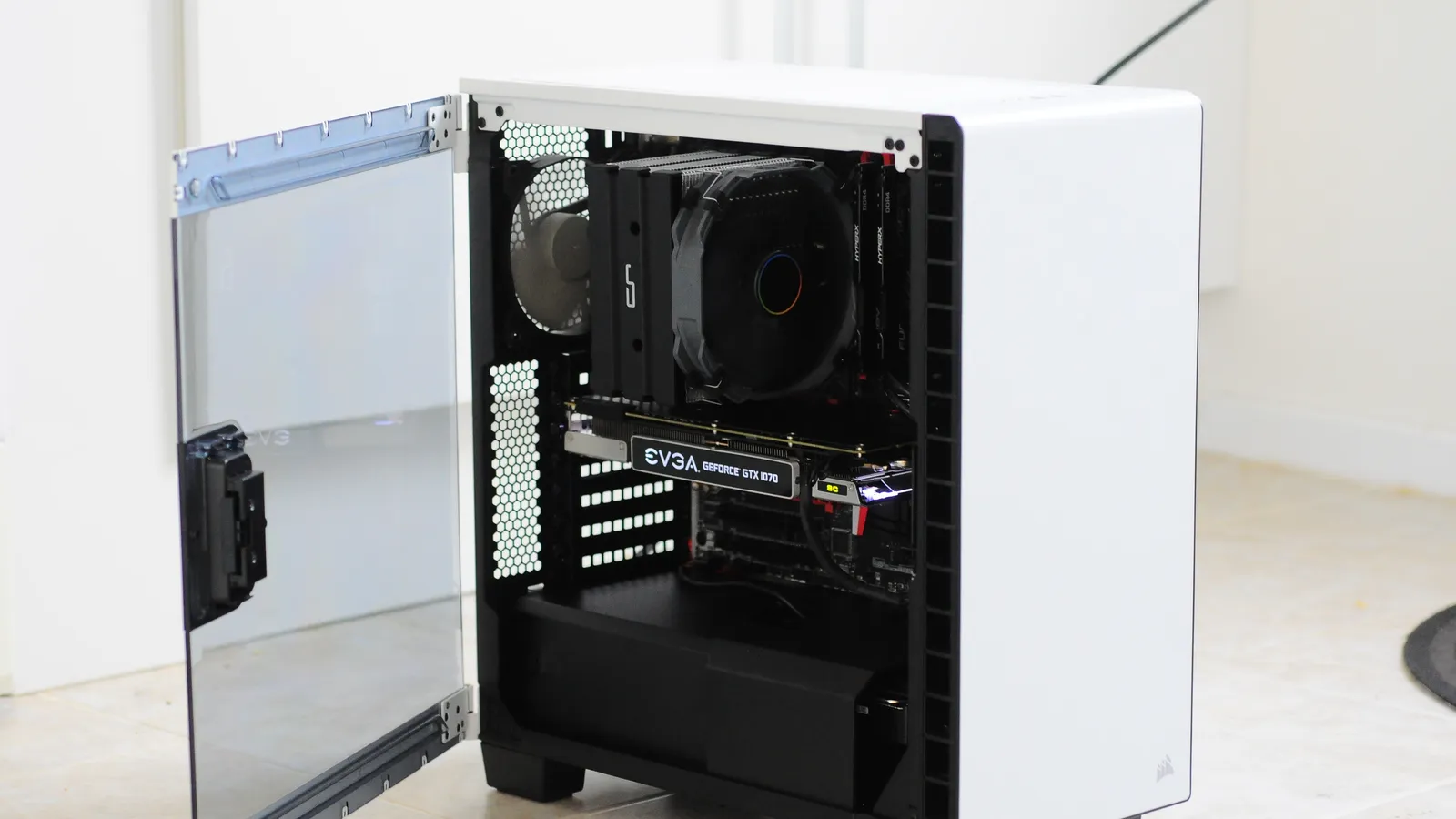
Building a PC is cheaper than GitHub Codespaces for anyone who codes on it most working days, at every price tier. Over three years of full-time work, a $841 low-end build with 32GB of DDR4 comes to about $1,094 with a monitor and electricity, while the matching 32GB codespace bills about $4,226. Codespaces wins for light use: students, weekend coders, and anyone under roughly 13 to 24 hours a week, depending on the tier.
Here is the verdict by developer setup, using US retail prices and GitHub list rates read on September 24, 2026:
| Your setup | Memory it needs | Billed hours/mo | Codespaces, 3 years | Cheapest fitting build, 3 years | Cheaper |
|---|---|---|---|---|---|
| Student, tutorials, side projects | 8-16GB | 20 | $0 | $909 | Codespaces |
| Evening and weekend coder | 16GB | 60 | $338 | $925 | Codespaces |
| Web or frontend developer, full-time | 16GB | 180 | $1,894 | $964 | Build |
| Backend developer running containers | 32GB | 180 | $4,226 | $1,094 | Build |
| Monorepo, data work, heavy compiles | 64GB | 180 | $8,892 | $2,798 | Build |
| Local AI or GPU work | GPU | Any | Not offered | $3,684 | Build |
| Company-paid seat (organization billed) | 32GB | 180 | $4,666 | $1,634 | Build |
Build figures include a 27-inch monitor, keyboard and mouse ($190) and modeled electricity. Codespaces figures use GitHub Pro for personal accounts and organization billing for the company seat. The 180 billed hours for a 160-hour working month come from GitHub’s default idle timeout, explained below.
Three development PC builds, priced today
These are programming machines, not gaming rigs. All three use a processor with integrated graphics, so none needs a graphics card to drive a monitor. Every price is a Newegg listing read on September 24, 2026. Where Newegg had no stock of its own, the cheapest in-stock marketplace seller is used and marked.
| Part | Low end (AM4) | Mid (AM5) | High end (AM5) |
|---|---|---|---|
| CPU | Ryzen 7 5700G, 8 cores: $219.99* | Ryzen 5 7600, 6 cores: $354.25* | Ryzen 9 9950X, 16 cores: $549.00 |
| Motherboard | MSI B550M PRO-VDH: $76.98 | ASRock B650M Pro RS WiFi: $119.99 | Gigabyte B850 Eagle WiFi6E: $172.98 |
| Memory | 32GB DDR4-3200: $259.99 | 32GB DDR5-6000: $559.99 | 64GB DDR5-6000: $1,179.99 |
| Storage | Kingston NV3 1TB: $158.99* | WD_BLACK SN7100 1TB: $199.99 | WD_BLACK SN7100 2TB: $329.99 |
| Power supply | MSI MAG A650BN 650W: $64.99 | MSI MAG A650BN 650W: $64.99 | MSI MAG A850GL 850W Gold: $109.99 |
| Cooler | Included with CPU | Included with CPU | Thermalright Peerless Assassin 120 SE: $47.90* |
| Case | Phanteks XT Pro: $59.99 | Phanteks XT Pro: $59.99 | Phanteks XT Pro: $59.99 |
| Total | $840.93 | $1,359.20 | $2,449.84 |
| With 16GB | $710.93 (16GB DDR4 kit, $129.99) | $1,081.06 (16GB DDR5 kit, $281.85*) | n/a |
*Marketplace seller; Newegg had no in-stock offer of its own. The Ryzen 5 7600 listing is the only in-stock offer found and comes from a marketplace seller, so treat the mid build as a ceiling.
The low end is the surprise. DDR4 did not escape the memory shortage, but it rose less. The Corsair 32GB DDR4-3200 kit is $259.99, less than half the Corsair 32GB DDR5-6000 kit at $559.99, and the memory price tracker has logged 32GB DDR4 kits as low as $129 this month. The Ryzen 7 5700G gives you 8 cores and 16 threads with graphics and a cooler in the box, per AMD’s specifications database. It is the older Zen 3 generation, and the AM5 chips are faster per core, but compiling, running a few containers and serving a dev build are not where most developers hit a wall. Memory is.
The high end is mostly memory. The Ryzen 9 9950X has 16 cores and 32 threads and a 170-watt default TDP, and AMD ships it without a cooler. The budget tower cooler here is enough for sustained compiles; AMD recommends liquid cooling, which costs more. And the 64GB Kingston FURY Beast kit costs more than the processor, motherboard and cooler combined.
| Step | Change | Running total |
|---|---|---|
| Ryzen 9 9950X CPU | +$549 | $549 |
| B850 motherboard | +$173 | $722 |
| 2TB PCIe 4.0 SSD | +$330 | $1,052 |
| Power, cooler, case | +$218 | $1,270 |
| Build before memory | $1,270 | $1,270 |
| 64GB DDR5-6000 kit (48% of the whole build) | +$1,180 | $2,450 |
| Complete 64GB build | $2,450 | $2,450 |
What Codespaces actually bills in real use
The list price is simple: a flat $0.09 per core-hour, per GitHub’s Codespaces billing documentation, rechecked on September 24, 2026. The machines that match the three builds:
| Codespace machine | RAM | Per hour | Free hours a month (GitHub Pro) |
|---|---|---|---|
| 4-core | 16GB | $0.36 | 45 |
| 8-core | 32GB | $0.72 | 22.5 |
| 16-core | 64GB | $1.44 | 11.25 |
GitHub Pro costs $4 a month and includes 180 core-hours; GitHub Free includes 120, according to GitHub’s table of product usage included with each plan. Organization accounts include none. The laptop comparison covers why the free quota is smaller than it looks.
Two things make the real bill bigger than hours times rate.
Idle time is billed. A codespace keeps running until its idle timeout stops it, 30 minutes by default, and GitHub’s timeout documentation says you pay for that time whether you were working or not. Walk away at lunch and again at the end of the day without stopping it, and each working day bills an extra hour. Over 20 working days, 160 hours of work becomes 180 billed hours. You can lower the timeout to 5 minutes or stop the codespace by hand, but the default is what most people run.
A codespace core is not a desktop core. GitHub describes its machines as cores on a virtual machine and does not say whether a core is a physical core or a thread. The desktop processors here run two threads per core: the 9950X is 16 cores and 32 threads. Treat the pairings as memory-matched, not as a benchmark.
Codespaces vs building a PC: three years of full-time work
At 160 worked hours and 180 billed hours a month for three years, with each build carrying a $159.99 MSI 27-inch 1440p monitor, a $29.99 Logitech MK270 keyboard and mouse and its own electricity:
| Item | Value |
|---|---|
| Codespaces 4-core, 16GB | $1,894 |
| Low-end build, 16GB DDR4 | $964 |
| Codespaces 8-core, 32GB | $4,226 |
| Mid build, 32GB DDR5 | $1,634 |
| Low-end build, 32GB DDR4 | $1,094 |
| Codespaces 16-core, 64GB | $8,892 |
| High-end build, 64GB DDR5 | $2,798 |
In dollars, the gap grows with the tier. At 64GB the build saves $6,094. At 16GB it saves $930. And the cheapest 32GB desktop costs less over three years than the 16GB codespace.
Electricity is the only running cost a desktop adds, and it is small. The US average residential rate was 18.34 cents per kilowatt-hour in June 2026, a preliminary figure in the U.S. Energy Information Administration’s Electric Power Monthly. The model assumes an average draw at the wall of 60 watts for the low-end build, 80 for the mid and 150 for the high end while you work, which comes to $63, $85 and $158 over three years. Those wattages are modeling assumptions, not measurements. Double them and no verdict changes.
How many hours before building a PC pays off?
If Codespaces would replace the desktop entirely, the breakeven is where three years of billed hours equal the cost of the build and its screen. On GitHub Pro, leaving out electricity:
| Build | Build plus screen | Matching codespace | Breakeven | Per week |
|---|---|---|---|---|
| Low end, 16GB DDR4 | $901 | 4-core, 16GB | about 103 h/mo | 24 h |
| Low end, 32GB DDR4 | $1,031 | 8-core, 32GB | about 57 h/mo | 13 h |
| Mid, 32GB DDR5 | $1,549 | 8-core, 32GB | about 77 h/mo | 18 h |
| High end, 64GB DDR5 | $2,640 | 16-core, 64GB | about 59 h/mo | 14 h |
The breakevens assume you already own a laptop or other computer to open the codespace from. If you do not, the cheapest capable client is roughly the low-end build itself, and at that point you own most of a development machine anyway.
Which development setup are you?
Student or side-project coder. A free GitHub account’s 120 core-hours cover 30 hours a month on the 4-core, 16GB machine at no charge. For coursework and tutorials on a laptop you already own, Codespaces costs nothing and a $909 build does not pay back. Rent.
Evening and weekend coder. Around 60 hours a month on the 4-core machine costs about $9.40 a month on GitHub Pro, or $338 over three years. The cheapest build is $925 with a screen. Codespaces still wins below about 100 hours a month on this tier, and a consistent environment across a work laptop and a home machine is a bonus.
Web or frontend developer. Node, a dev server, a browser full of tabs and one or two containers usually fit in 16GB. Full-time, the 4-core codespace bills $1,894 over three years against $964 for the low-end 16GB build. Build, and take the $130 step to 32GB of DDR4 while you are at it.
Backend developer running containers. A database, a queue and several services in Docker Compose is where 16GB runs out. The 8-core codespace bills $4,226 over three years. The 32GB DDR4 build costs $1,094 and the 32GB DDR5 build $1,634. Build.
Monorepo, data work or heavy compiles. Large Rust, C++ or Java builds and in-memory data work want cores and 64GB. The 16-core codespace bills $8,892 over three years against $2,798 for the 9950X build. This is where renting full-time looks worst, and where renting the big machine only for a monthly batch job looks best.
Local AI or GPU work. Codespaces offers only CPU machines. The high-end build plus an MSI RTX 5060 Ti 16GB at $779.99 comes to $3,684 over three years with a 250-watt modeled draw. GPU prices in 2026, including the premium the 16GB version of this card carries over the 8GB one, are tracked on the GPU price tracker, and how much RAM a local LLM needs covers the sizing.
Company-paid seat. GitHub’s billing page states organization plans include no free quota, so a full-time 8-core seat bills 180 hours at $0.72, or $4,666 per developer over three years, against $1,634 for a mid desktop. On hardware cost alone the desktop wins by about $3,000 a seat. Companies pick Codespaces for other reasons: onboarding a new hire in minutes instead of days, source code that never sits on a laptop, and contractors who get access to one repository and lose it when the contract ends. Whether that is worth $3,000 per developer is a security and productivity question, not a hardware one. Plan pricing for teams is covered in GitHub pricing for 2026.
The part-time answer: build small and rent the big machine
A desktop has slots, which gives it an option a laptop lacks: build with less memory and rent a bigger codespace for the heavy hours.
On the mid build, the step from 16GB to 32GB of DDR5 costs $278.14. Spread over three years, that is $7.73 a month, which buys 10.7 hours of the 8-core machine on top of the 15 free hours a free GitHub account includes. So if you need 32GB for fewer than about 26 hours a month, build with 16GB and rent. Above that, buy the kit. At the cheapest tracked 32GB DDR5 kit ($429 on the WhereIsMyRAM tracker, which labels its figures “indicative”), the step narrows to $147 and the line to about 21 hours.
On the low-end build the step is only $130, and the breakeven is about 20 hours on a free account. On GitHub Pro it disappears entirely, because the $4 plan fee over three years already exceeds the memory step. On DDR4, buy the 32GB.
The same logic works at 64GB. The 64GB kit costs $620 more than the 32GB DDR5 kit, and the 16-core codespace covers 7.5 free hours on a free account, which puts the line at about 20 hours a month. For a monthly heavy job, rent the 64GB machine.
Should you buy 16GB now and upgrade RAM later?
This is the plan a desktop makes possible: build with 16GB, cover the heavy hours with Codespaces, and buy the 32GB kit once the memory shortage eases. On DDR5 the numbers are less kind than they sound.
Small DDR5 kits cost more per gigabyte. The Crucial 16GB DDR5-5600 kit works out to $17.62 per GB, against $17.50 for the Newegg 32GB kit and $13.41 for the cheapest tracked one.
You probably buy memory twice. A board with two 8GB sticks has two routes to 32GB. Add another pair and you run four sticks, which AMD’s Ryzen 5 7600 specification rates at DDR5-3600 instead of DDR5-5200, a 31% cut in rated speed. Or replace the pair with a 2x16GB kit, and the first kit comes out of the machine.
So the upgrade-later plan is a bet on a future kit price. Leaving out resale value, it breaks even if a 32GB DDR5 kit costs about $278 when you upgrade, roughly half today’s Newegg price:
| 32GB kit price when you upgrade | Buy 32GB now | 16GB now, 32GB later | Result |
|---|---|---|---|
| $560 (no relief) | $559.99 | $841.85 | Waiting costs $282 |
| $300 | $559.99 | $581.85 | Waiting costs $22 |
| $278 (breakeven) | $559.99 | $559.85 | Even |
| $125 (first-half 2025 average) | $559.99 | $406.85 | Waiting saves $153 |
A 2x16GB DDR5-6000 kit averaged about $125 in the first half of 2025 on the tracked kit history. But the forecasts collected in when RAM prices will drop put meaningful relief no earlier than late 2027, which means 15 months or more on 16GB. If you are near the 26-hour line today, buy the 32GB kit now. For the other parts worth buying now or holding off on, see the PC parts to buy now in 2026, and price your own build with the PC build cost calculator.
What a desktop can do that Codespaces cannot
- GPU work and local AI. Codespaces offers CPU machines only. A desktop takes a graphics card now or later.
- Windows development. GitHub’s Codespaces overview states that Windows and macOS are not supported for the remote development container, so .NET desktop apps, drivers and Windows-only toolchains need a Windows machine.
- Offline work and latency. A remote session depends on the connection for every keystroke.
- Repair and reuse. A failed part is one replacement, and the machine still has resale value after three years.
Codespaces keeps its own strengths. Nothing up front, the same environment on every device, and the fastest way to hand a student or contractor a working setup for one repository.
Frequently asked questions
Frequently asked questions
- Is GitHub Codespaces cheaper than building a PC?
- Only for light use. Over three years of full-time work, a 32GB codespace bills about $4,226 under the default idle timeout, while a $841 low-end build with 32GB of DDR4 comes to about $1,094 with a monitor and electricity. Codespaces is cheaper for students and part-time coders, below roughly 57 to 103 hours a month depending on the machine size.
- What is the cheapest PC build for programming in 2026?
- An AMD AM4 build with a Ryzen 7 5700G, a B550 motherboard, 32GB of DDR4-3200 and a 1TB SSD cost $840.93 at Newegg on September 24, 2026, or $710.93 with 16GB. The processor has integrated graphics and includes a cooler, so no graphics card is needed. A comparable 32GB DDR5 build on AM5 cost $1,359.
- How much does a high-end development workstation cost in 2026?
- A Ryzen 9 9950X build with 64GB of DDR5-6000, a 2TB SSD and a B850 motherboard cost about $2,450 in September 2026, and the 64GB memory kit was $1,180 of that. Adding an RTX 5060 Ti 16GB for local AI work raised it to about $3,230.
- Should I buy 16GB of RAM now and upgrade to 32GB later?
- On DDR4, no: the step to 32GB is only $130, so buy it now. On DDR5, waiting only pays if a 32GB kit falls below about $278 by the time you upgrade, roughly half the September 2026 price, and forecasts put meaningful relief no earlier than late 2027. Adding a second pair of DDR5 sticks also cuts rated memory speed from 5200 to 3600 on a Ryzen 5 7600.
- Is Codespaces worth it for a company?
- Not on hardware cost. Organization accounts get no free quota, so a full-time 32GB codespace bills about $4,666 per developer over three years, against about $1,634 for a mid-range desktop. Companies choose it for faster onboarding, keeping source code off laptops, and scoped access for contractors.
Sources
- GitHub (2026). GitHub Codespaces billing. GitHub Docs, checked September 24, 2026. https://docs.github.com/en/billing/concepts/product-billing/github-codespaces
- GitHub (2026). Product usage included with each plan. GitHub Docs. https://docs.github.com/en/billing/reference/product-usage-included
- GitHub (2026). Setting your timeout period for GitHub Codespaces. GitHub Docs. https://docs.github.com/en/codespaces/setting-your-user-preferences/setting-your-timeout-period-for-github-codespaces
- GitHub (2026). What are GitHub Codespaces? GitHub Docs. https://docs.github.com/en/codespaces/about-codespaces/what-are-codespaces
- AMD (2026). AMD Ryzen 9 9950X Desktop Processor (specifications). AMD. https://www.amd.com/en/products/processors/desktops/ryzen/9000-series/amd-ryzen-9-9950x.html
- AMD (2026). AMD Ryzen 5 7600 Desktop Processor (specifications). AMD. https://www.amd.com/en/products/processors/desktops/ryzen/7000-series/amd-ryzen-5-7600.html
- AMD (2026). Processor specifications (Ryzen 7 5700G record). AMD. https://www.amd.com/en/products/specifications/processors.html
- U.S. Energy Information Administration (2026). Electric Power Monthly, Table 5.6.A, average price of electricity to ultimate customers by end-use sector (June 2026, preliminary). EIA. https://www.eia.gov/electricity/monthly/epm_table_grapher.php?t=epmt_5_6_a
- Newegg (2026). Listing prices for every part, monitor and peripheral in the three builds, read September 24, 2026. Retailer listings. https://www.newegg.com/
- WhereIsMyRAM (2026). US DDR5 prices. Multi-retailer price tracker (secondary), read September 24, 2026. https://whereismyram.com/us