What's New in Codex After OpenAI DevDay 2026
Every Codex change from OpenAI DevDay 2026: Cloud environments, the voice CLI and /agents, code review, Remote, Linux, Ultrafast and Security, with prices.
Codex had the longest run of any product at OpenAI’s DevDay on September 29, 2026 (the event is often searched as Dev Day). The one-line version, in OpenAI’s own words from its DevDay announcements roundup: “Codex Cloud runs tasks while your laptop is closed, with access across devices.”
What changed for Codex at DevDay 2026: reusable Codex Cloud environments, a refreshed CLI with two-way voice and an /agents view, a code review view in the desktop app with automatic cloud reviews, Codex Security Cloud, and the Ultrafast speed tier at up to eight times standard speed on the new $500 Pro 500 plan. Around the event, OpenAI’s docs also list the ChatGPT desktop app in preview on Linux and Codex Remote for steering tasks from a phone. None of these changed Codex’s per-token rates.
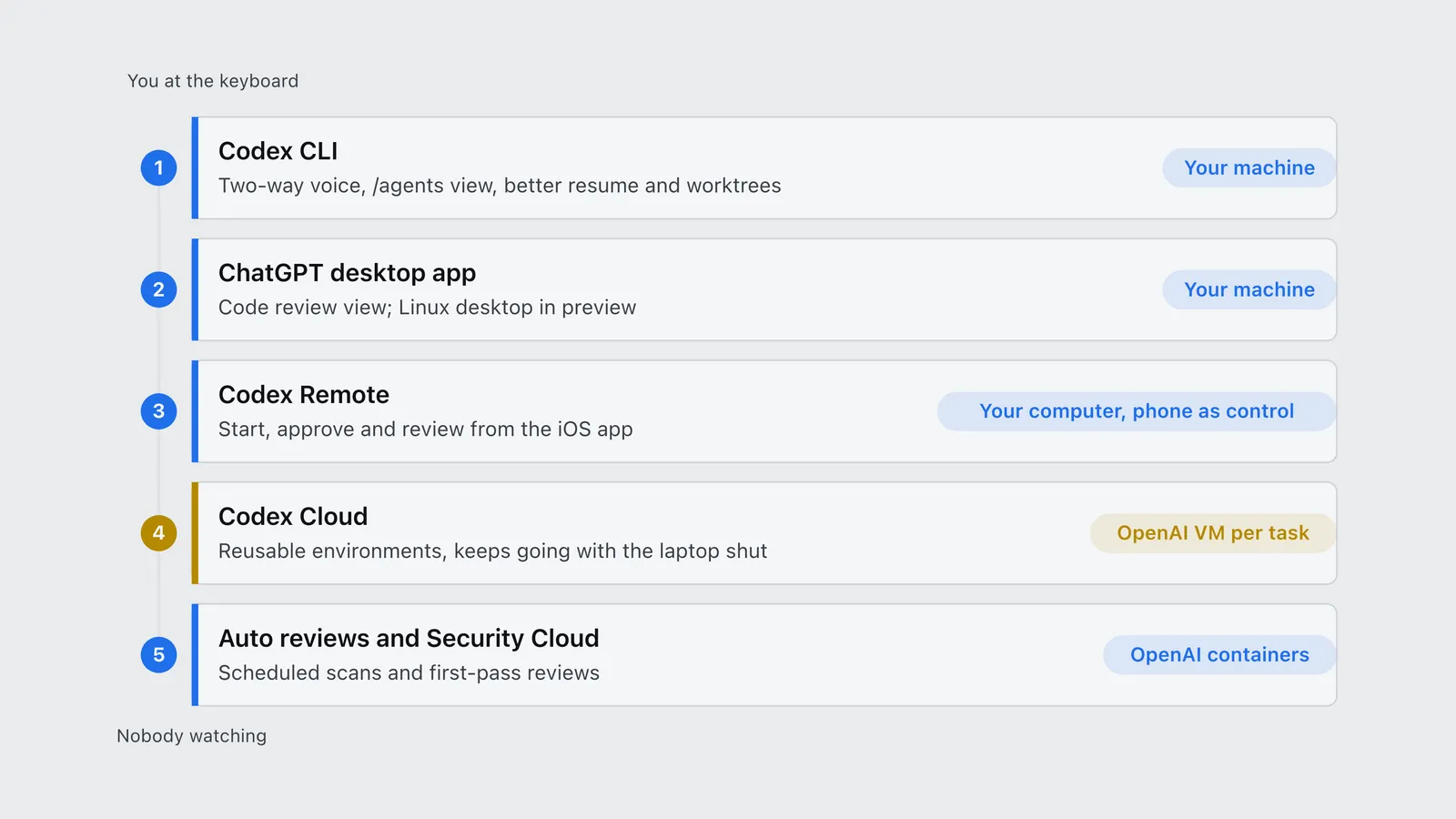
The clearest way to read the list is by where the work runs, from your own terminal out to OpenAI’s machines.
| Order | Surface | Runs on | What DevDay changed |
|---|---|---|---|
| 1 | Codex CLI | Your machine | Two-way voice, /agents view, better resume and worktrees |
| 2 | ChatGPT desktop app | Your machine | Code review view; Linux desktop in preview |
| 3 | Codex Remote | Your computer, phone as control | Start, approve and review from the iOS app |
| 4 | Codex Cloud | OpenAI VM per task | Reusable environments, keeps going with the laptop shut |
| 5 | Auto reviews and Security Cloud | OpenAI containers | Scheduled scans and first-pass reviews |
Codex Cloud: reusable environments
The biggest change. You publish a cloud environment once: Codex inspects your GitHub repositories, installs dependencies and tools, and tests the workflow with you. Every task then starts from that saved filesystem in its own VM, keeps running while your computer sleeps, and can be continued from the web, the desktop app or the phone, per OpenAI’s Codex Cloud documentation. Task state is recoverable for up to seven days.
Default VMs are 2 vCPUs and 8 GiB of memory on Plus, and 4 vCPUs and 16 GiB on Pro, Business and Enterprise. Cloud environments do not yet support computer and browser use, GitLab or self-hosted GitHub Enterprise Server. The full walkthrough, including secrets, network presets and the Tailscale VPN option, is in how Codex cloud environments work.
What it costs: nothing extra per task. OpenAI’s Codex pricing page bills cloud and local work at the same per-token credit rates and says “local messages and cloud chats share your plan’s usage allowance”, with the caveat that cloud tasks “may use more” of it. Cloud is not available with an API key. The per-task numbers are in Codex cloud vs local cost.
The Codex CLI refresh
Per OpenAI’s roundup, “the CLI update adds two-way voice and an ‘/agents’ view, plus changes to prompt editing, session resumption, and worktree workflows”. The /agents view is for delegating several tasks at once and tracking them from one place, which matters now that cloud tasks can run in parallel while local work continues.
Voice is powered by GPT-Live, OpenAI’s live conversation model. Per the ChatGPT Voice documentation, it can start separate tasks, check on running ones and send follow-up instructions, and you can ask to switch to another task’s conversation by voice. It is available on Plus, Pro, Business, Edu and Enterprise.
What it costs: the pricing page says voice in the desktop app uses your Codex usage budget at $0.05 a minute (1.25 credits a minute on credit billing), and the model doing the task is billed separately at its own token rates.
Code review in the desktop app
The desktop app gained a review view: summaries, diffs and questions about a change in one place, before you comment on a GitHub pull request or GitLab merge request. With automatic reviews on, Codex takes a first pass in the cloud while you are away, per OpenAI’s code review documentation. Code Review is still labelled a preview.
What it costs: reviews triggered in GitHub, such as tagging @Codex on a pull request, count as Code Review usage; reviews run locally count toward your general allowance.
Codex Remote and Linux
Two surfaces widened around DevDay. Codex Remote lets you start, guide, approve and review tasks from the ChatGPT iOS app while the work runs on your own connected Mac or Windows PC, per the Remote documentation. Unlike Codex Cloud, nothing moves to OpenAI’s machines, so your local tools, databases and credentials stay available; the computer has to stay awake and online.
The ChatGPT desktop app for Linux, which carries Codex, is in preview for Ubuntu 24.04 and 26.04, Debian 13, Fedora 43 and 44 and Arch Linux, on x64 and ARM64, per OpenAI’s Linux app documentation. Engadget’s DevDay live blog listed Linux among the Codex announcements. The CLI already ran on Linux.
Ultrafast in Codex
Ultrafast generates GPT-6 Astra tokens up to eight times faster than standard in Codex, about 300 tokens per second, according to OpenAI. In Codex it is limited to Pro 500 ($500 a month) and eligible Enterprise and Edu plans; Plus and the other Pro tiers cannot buy it, even with credits, per the speed documentation.
What it costs: 6x the standard rate on purchased credits, but 8x against your included plan allowance. The break-even, on a standard coding loop, is worked out in is OpenAI Ultrafast worth it.
Codex Security Cloud
Codex Security Cloud scans connected GitHub repositories, “investigates findings, removes duplicates, and prepares fixes”, and can run on a schedule. Per its FAQ, each job builds a threat model, scans the repository or new commits, then tries to reproduce each likely vulnerability in an isolated container before reporting it, to cut false positives. It does not auto-apply patches: you review a proposed fix and open a draft pull request yourself. OpenAI positions it as a complement to static analysis (SAST), not a replacement.
What it costs: OpenAI does not list a separate Security Cloud price; it runs on your plan’s usage. The Codex rate card separately lists two security models, Daybreak Blue at GPT-5.6 Sol rates and Daybreak Red at 312.5 credits per million input tokens and 1,875 per million output, both behind OpenAI’s Trusted Access for Cyber approval.
Codex plans after DevDay
For reference, OpenAI’s pricing page lists these Codex plans as of September 30, 2026:
| Plan | Price | Codex access |
|---|---|---|
| Free | $0 | GPT-6 Luna in the desktop app, subject to rollout |
| Go | $8 / month | GPT-6 Luna in the desktop app, subject to rollout |
| Plus | $20 / month | Web, CLI, IDE, iOS; cloud features; GPT-6 Sol and Luna |
| Pro | $100, $200 or $500 / month | Everything in Plus; Ultrafast on Pro 500 only |
| Business | $20 / user / month annual, $25 monthly | Larger cloud VMs, admin controls, no training by default |
Two dates to note. Pro 200’s included Codex usage falls from 20 to 10 times Plus on October 30, 2026, as reported by The Next Web, citing OpenAI’s Pro tiers help page; the Pro 500 breakeven covers what that does to each tier. And GPT-5.5 retires from Codex on all plans on October 14, 2026, per the pricing page. For everything else OpenAI announced that day, from Dots to GPT-6.1 Sol, see the full DevDay 2026 list with prices.
Frequently asked questions
- What did OpenAI announce for Codex at DevDay 2026?
- At DevDay 2026 OpenAI moved Codex into the cloud with reusable environments, so tasks keep running with the laptop closed and can be reviewed on web, desktop or mobile. It also shipped a Codex CLI refresh with two-way voice and an /agents view, a code review view in the desktop app with automatic cloud reviews, Codex Security Cloud, and Ultrafast in Codex at up to eight times standard speed on Pro 500 and eligible Enterprise plans.
- Is Codex available on Linux?
- Yes. The Codex CLI runs on Linux, and the ChatGPT desktop app that carries Codex is in preview on Ubuntu 24.04 and 26.04, Debian 13, Fedora 43 and 44 and Arch Linux, on x64 and ARM64 processors, per OpenAI documentation.
- Can you use Codex from your phone?
- Yes, two ways. Codex Cloud tasks can be started, continued and reviewed in the ChatGPT mobile app. Codex Remote lets you start, approve and review tasks from the iOS app while they run on your own connected Mac or Windows PC, which must stay awake and online.
- How much does Codex voice cost?
- Voice in the ChatGPT desktop app uses your Codex usage budget at $0.05 per minute, or 1.25 credits per minute on credit-based billing, per OpenAI pricing documentation. The model that carries out the task you start by voice is billed separately at its normal token rates.
Sources
OpenAI (2026). DevDay 2026 announcements and developer resources. OpenAI Developer Community post. https://community.openai.com/t/devday-2026-announcements-and-developer-resources/1402006 Verified 2026-09-30.
OpenAI (2026). Pricing (Codex plans, usage, token rates, voice). Product documentation. https://learn.chatgpt.com/docs/pricing Verified 2026-09-30.
OpenAI (2026). Codex Cloud. Product documentation. https://learn.chatgpt.com/docs/cloud Verified 2026-09-30.
OpenAI (2026). Cloud environments. Product documentation. https://learn.chatgpt.com/docs/environments/cloud-environments Verified 2026-09-30.
OpenAI (2026). ChatGPT Voice. Product documentation. https://learn.chatgpt.com/docs/features/voice Verified 2026-09-30.
OpenAI (2026). Code review. Product documentation. https://learn.chatgpt.com/docs/code-review?surface=app Verified 2026-09-30.
OpenAI (2026). Codex Remote. Product documentation. https://learn.chatgpt.com/docs/remote Verified 2026-09-30.
OpenAI (2026). ChatGPT desktop app for Linux. Product documentation. https://learn.chatgpt.com/docs/linux/linux-app Verified 2026-09-30.
OpenAI (2026). Speed (Fast and Ultrafast modes). Product documentation. https://learn.chatgpt.com/docs/agent-configuration/speed Verified 2026-09-30.
OpenAI (2026). Codex Security Cloud FAQ. Product documentation. https://learn.chatgpt.com/docs/security/faq Verified 2026-09-30.
The Next Web (2026). OpenAI halves Pro 200 usage and launches a $500 ChatGPT plan at DevDay. Secondary coverage citing OpenAI’s Pro tiers help page. https://thenextweb.com/news/openai-devday-pro-200-usage-cut-pro-500-plan Verified 2026-09-30.
Engadget (2026). OpenAI Dev Day 2026: Live updates on the latest ChatGPT and Codex news. Secondary coverage (live blog). https://www.engadget.com/2271985/openai-dev-day-live-blog-chatgpt-news/ Viewed via search 2026-09-30.